
Coming soon Available now
Proof of Budget
A native budgeting app for iPhone, iPad and Mac. It imports your bank transactions, tracks Bitcoin alongside your budget, and keeps your data private.
On TestFlight for iPhone, iPad and Mac — coming soon to the App Store Now on the App Store for iPhone, iPad and Mac
Status
On TestFlight now, App Store nextNow on the App Store
Proof of Budget is on TestFlight for iPhone, iPad and Mac. The App Store release will follow. Proof of Budget is available on the App Store for iPhone, iPad and Mac.
- Status
- On TestFlightOn the App Store
- Platforms
- iPhone, iPad and Mac
- Release date
- TBAAvailable now
- Pricing
- TBA
Requirements: TBA. Details in a dashed box are placeholders and will be filled in once they are confirmed.
Screenshots
Five screens from the iPhone app
Design-review captures. The figures shown are illustrative.
-
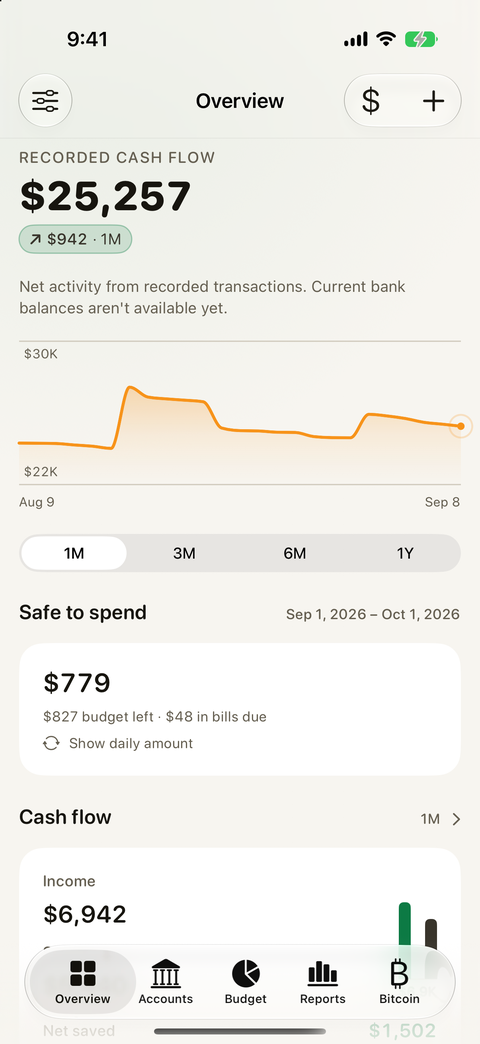
OverviewRecorded cash flow, Safe to spend and a cash flow summary. -
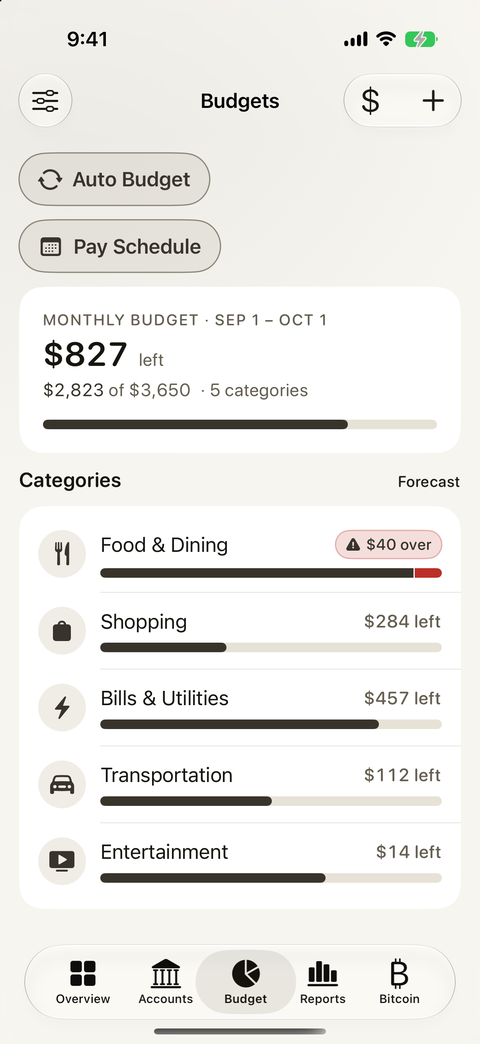
BudgetA monthly budget with category limits and what is left. -
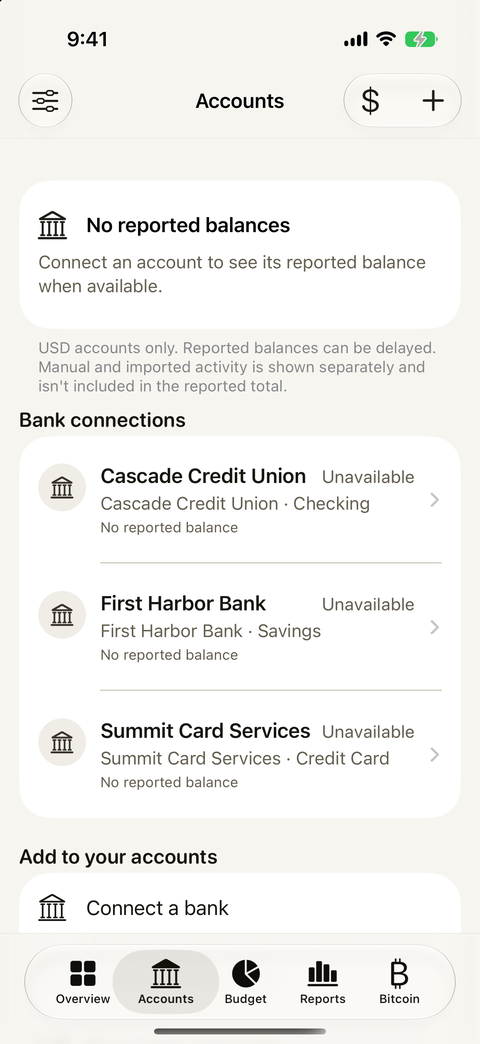
AccountsBank connections and reported balances. -
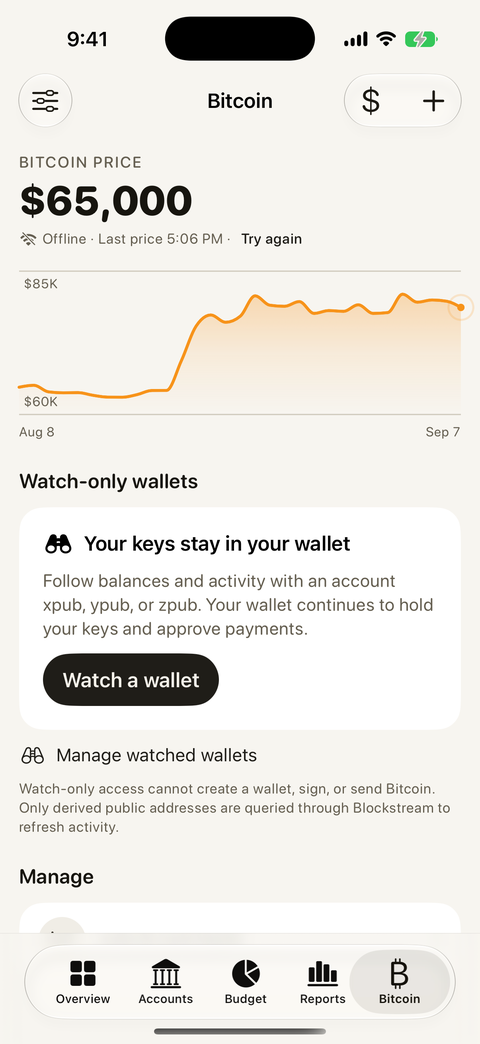
BitcoinBitcoin price and watch-only wallets. -
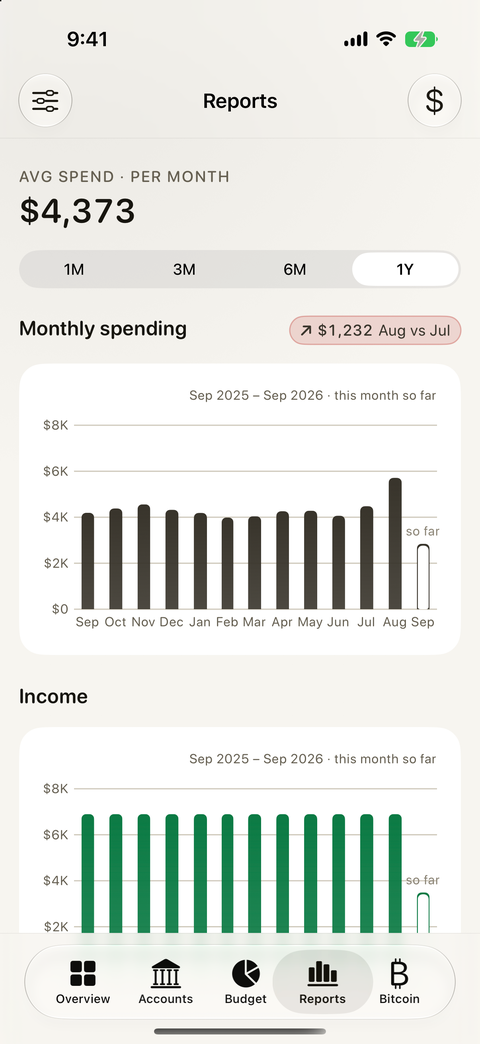
ReportsAverage monthly spend, with spending and income by month.
What you can see in the app
Screen by screen
The five tabs along the bottom of the app, and what each one shows in the screenshots above.
-
Overview
Your recorded cash flow with a trend chart over 1M, 3M, 6M or 1Y. A Safe to spend card shows what is left of the budget and the bills still due, with an option to show a daily amount. A cash flow card lists income and net saved.
-
Accounts
Bank connections listed by institution and account type, such as checking, savings and credit card, each with its reported balance status. A note explains that accounts are USD only and that reported balances can be delayed. Connect a bank from the Add to your accounts section.
-
Budget
A monthly budget card with the amount left, spent against the total, and the number of categories. Categories such as Food & Dining, Shopping, Bills & Utilities, Transportation and Entertainment each get a progress bar, and one that is over shows a red warning. Auto Budget, Pay Schedule and Forecast sit at the top.
-
Reports
Average spend per month over 1M, 3M, 6M or 1Y. A monthly spending bar chart with a month-over-month change pill and the current month marked “so far”, followed by an income chart by month.
-
Bitcoin
The Bitcoin price with a chart, and an offline notice with the last price and a Try again link. Watch-only wallets follow balances and activity from an account xpub, ypub or zpub; your wallet keeps its keys and approves payments. Watch-only access cannot create a wallet, sign or send bitcoin, and only derived public addresses are queried through Blockstream.
Features
What is in the app
Proof of Budget is a native app for iPhone, iPad and Mac. It includes:
- FinanceKit import
- Plaid bank links
- Bitcoin in USD, BTC or sats
- Subscriptions
- Net worth history
- A safe daily spend
- Bill splits
- Paycheck schedules
- Widgets
- Apple Watch app
Privacy
Your data stays private
Proof of Budget is built to keep your data private. The privacy policy has the details.
Bitcoin tracking uses watch-only wallets. The app follows balances and activity from an account xpub, ypub or zpub, while your wallet continues to hold your keys and approve payments.
This page sets no cookies, loads nothing from third parties and has no sign-up form.
Contact
Say hello
Questions about Proof of Budget or the TestFlight build?Questions about Proof of Budget? Write to us. There is no form here, just an inbox.
hello@nordictug.me